


If you’re reading this, you probably aren’t wondering “What is GST?” anymore.
You already know your business needs GST registration in Bangalore / Bengaluru. You might even have your entity set up or in progress. What you’re trying to solve now is more specific:
“Can I use a virtual office in Bangalore for GST registration – and if yes, what is the actual step-by-step process?”
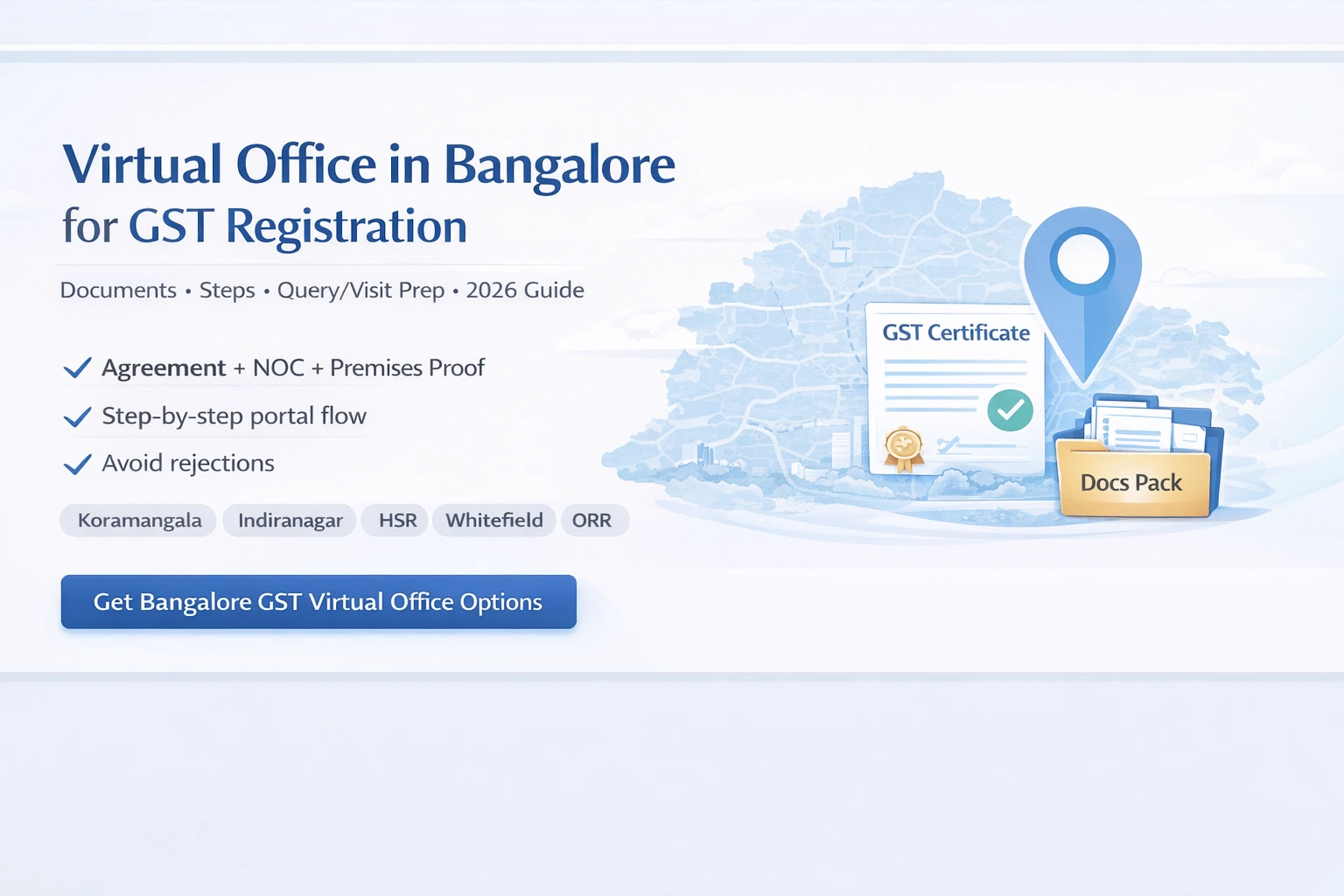
You’re not alone. For early-stage teams and growing businesses, renting a full office in Koramangala, HSR Layout, Indiranagar, Whitefield or Outer Ring Road often feels like overkill. You want the compliance and credibility of a Bangalore address without the cost and lock-in of a big lease.
That’s exactly where a virtual office in Bangalore for GST registration comes in.
In this guide, we’ll walk through:
-
When a Bangalore virtual office is the right fit for GST
-
The exact documents you need from your provider and your business
-
A step-by-step GST registration process using a virtual office address in Bangalore
-
Common pitfalls founders hit – and how to avoid them
-
How this plays out in real life with a provider like Xporate, which offers GST-ready virtual office plans in Bangalore
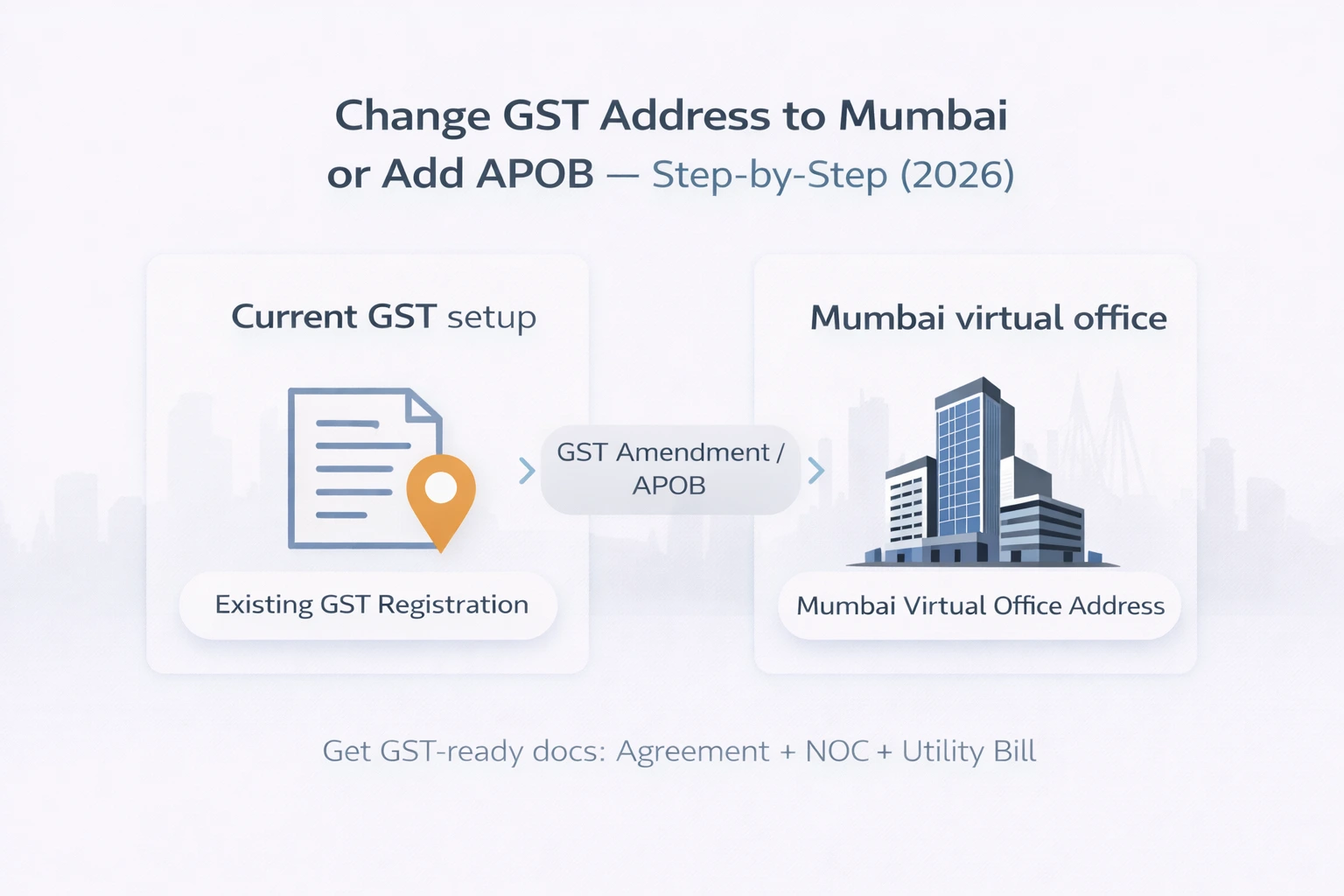
If you already have GST and just want to change your GST address or add Bangalore as an Additional Place of Business (APOB), that’s a slightly different flow and belongs in an amendment/APOB guide. Here we’ll focus on getting GST registration done in Bangalore with a virtual office address.
Before You Start – Is a Bangalore Virtual Office the Right Fit for GST?
Before you open the GST portal or call your CA, it’s worth checking if a Bangalore virtual office is actually the right base for your GST registration.
When a Bangalore virtual office works really well for GST
A virtual office in Bangalore for GST registration is usually a strong fit if:
-
You’re registering a new company with Bangalore as your base.
You want your GST to clearly say “Bangalore” because your team, clients, or investors are centred here. -
Your existing business is outside Karnataka, but you now need Karnataka GST.
Maybe you’re based in Delhi or Mumbai but have growing business in Bangalore. A virtual office lets you register GST in Karnataka without opening a full-fledged office. -
You’re an e-commerce or D2C brand.
Platforms or your CA have suggested a Karnataka GST registration for logistics, warehousing or sales. A Bangalore address gives you a clean, widely-recognised place of business. -
You run a services or tech business with remote/hybrid teams.
Your work is digital, but you still need a formal address for GST and occasional client meetings.
In all these scenarios, the “place of business” is about compliance, mail and presence, not about housing your full team every day.
When you should double-check with your CA first
A Bangalore virtual office can still be useful, but you should have a clearer chat with your CA if:
-
Your business involves factories, manufacturing units or warehouses that need to be shown as actual operational sites.
-
You’re going for licences that explicitly expect a full operational premises as the main place of business.
-
You’re unsure whether Bangalore should be your principal place of business or just an Additional Place of Business (APOB).
In those cases, you may still use a virtual office as a head office or corporate address, but the main operational premises may need to be declared separately.
Quick recap: how virtual offices plug into GST (in plain English)
For GST, what matters is:
-
You have a real, identifiable address
-
You have a legal right to use that address for your business
-
You can prove that right through documentation
-
Your GST records and documents are consistent
A virtual office in Bangalore is simply a business centre or coworking location where you:
-
Legally use their address
-
Receive a structured documentation pack
-
Sit under a shared or flexible workspace model
Once the documents are solid, the GST process is the same as it would be for a traditional rented office.
Documents Required for GST Registration in Bangalore with a Virtual Office
Let’s get practical. GST registration with a virtual office in Bangalore is really about paperwork discipline.
You’ll handle two sets of documents:
-
From your Bangalore virtual office provider
-
From your business and authorised signatory
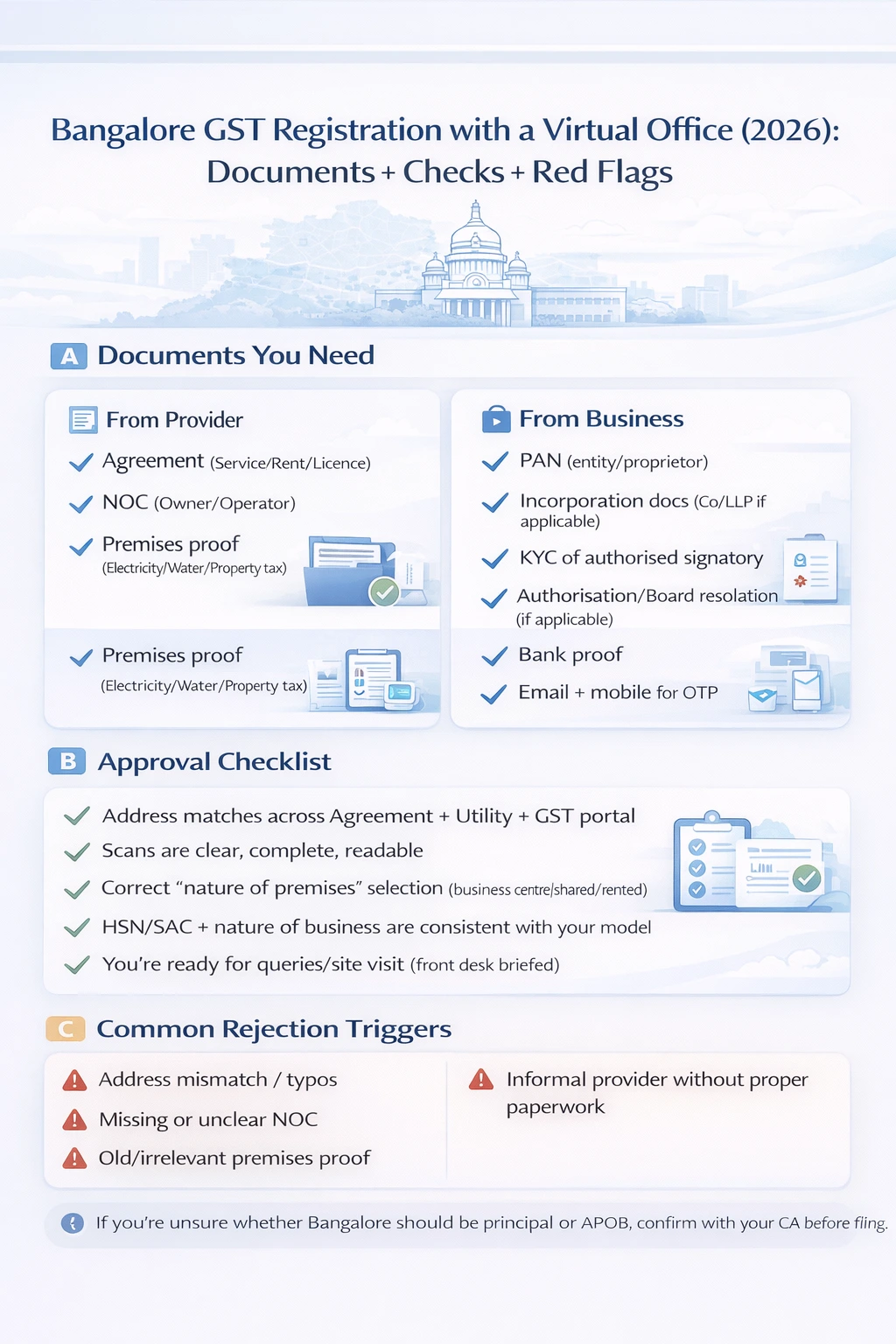
1. Documents from your Bangalore virtual office provider
Any provider offering GST-ready virtual office plans in Bangalore should give you at least:
-
Service / Rent / Licence Agreement
-
Between your business and the provider
-
Clearly shows the full Bangalore address you’ll use for GST
-
No Objection Certificate (NOC)
-
From the premises owner or operating company
-
States that they have no objection to you using the premises as your place of business
-
Recent premises proof
-
Typically an electricity bill, water bill, or property tax receipt
-
Address on this proof should match the one in your agreement
Providers like Xporate design their Bangalore virtual office plans so this “GST documentation pack” is standard. You’re not chasing half-baked documents; you’re working with a set that CAs and GST officers are familiar with.
2. Documents from your business (entity + promoters)
Your CA or GST consultant will give you the exact checklist, but broadly:
For a proprietorship:
-
PAN of proprietor
-
Aadhaar and photograph of proprietor
-
Bank proof (cancelled cheque, statement or passbook)
-
Email ID and mobile number for GST registration
-
Any additional KYC as per the portal
For a company or LLP:
-
PAN of the company/LLP
-
Incorporation certificate
-
MoA and AoA or LLP Agreement
-
PAN, Aadhaar and photographs of directors/partners and authorised signatory
-
Board resolution or authorisation letter for authorised signatory
-
Bank proof (statement, cancelled cheque or passbook)
Your CA will also gather details like nature of business, HSN/SAC codes and contact details.
3. Bangalore-specific “nice to have” practices
Not mandatory, but they reduce friction:
-
A master address line document:
-
You copy the Bangalore address exactly from your agreement and use that version everywhere (GST portal, documents, internal records).
-
Clean, readable scans:
-
No shadows, tilted pages, or cut-off text.
-
PDFs are easier to handle and re-upload.
-
A quick pre-check between your CA and provider:
-
Your CA glances at the agreement, NOC and premises proof before you file, to confirm they line up with typical officer expectations.
📌 Bangalore GST Registration – Quick Checklist
You can style this as a box or table in your CMS:
-
✔ Service / rent / licence agreement (Bangalore virtual office)
-
✔ NOC from the premises owner/operator
-
✔ Recent premises proof (utility bill or property proof for the Bangalore address)
-
✔ PAN & KYC of authorised signator
-
✔ Entity incorporation documents (if applicable)
-
✔ Bank proof (cancelled cheque / statement / passbook)
-
✔ Email & mobile number for GST OTPs
Step-by-Step: GST Registration in Bangalore Using a Virtual Office Address
Now let’s get into the actual steps.
We won’t mirror the GST portal line-by-line (the interface changes), but this flow will stay accurate in principle.
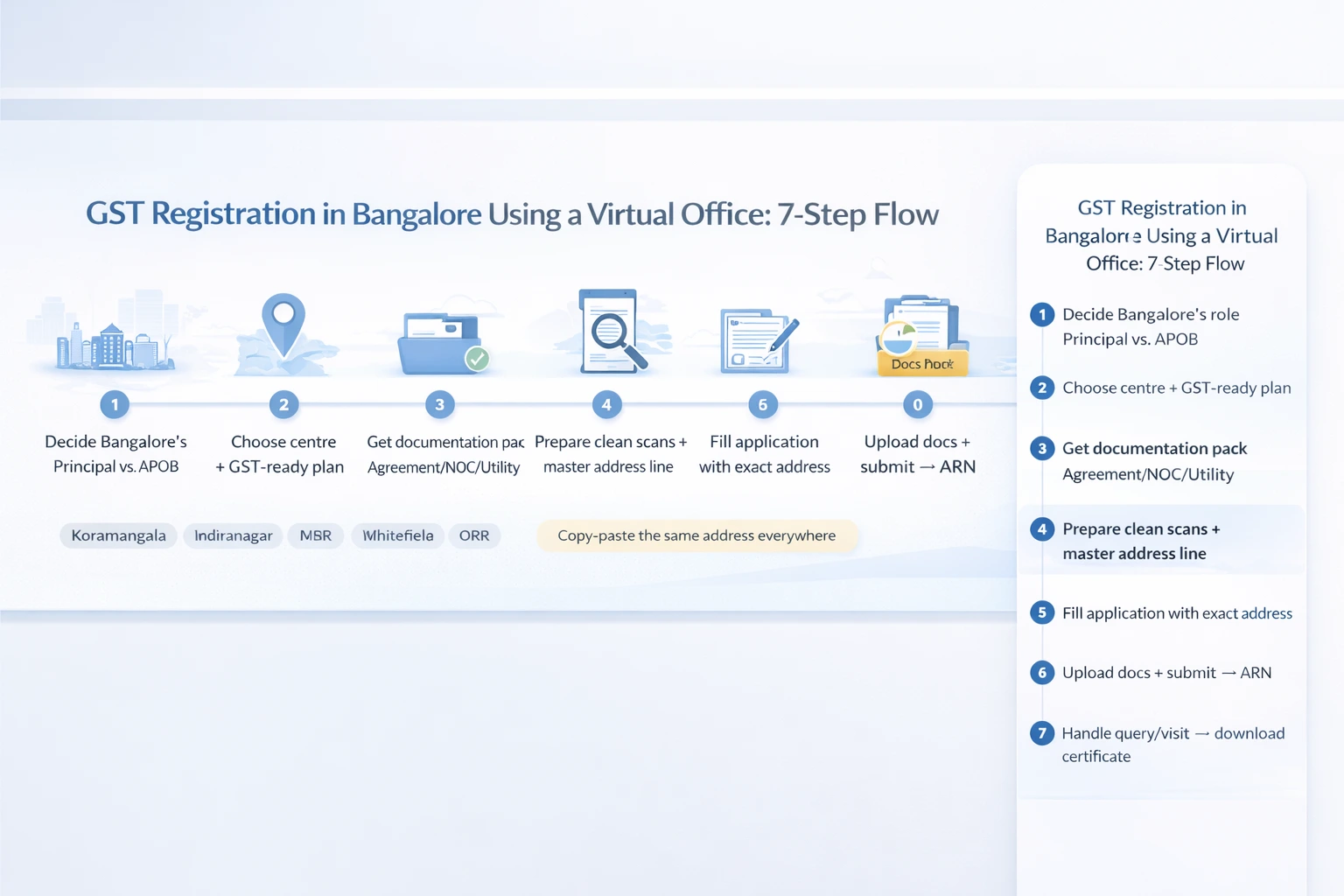
Step 1 – Decide how Bangalore fits into your GST structure
Before anything else, talk to your CA about Bangalore’s role:
-
Will Bangalore be your principal place of business?
-
Common if your company is being incorporated in Bangalore and you treat it as HQ.
-
Or will Bangalore be an Additional Place of Business (APOB) under an existing GST?
-
Common if your main base is elsewhere but you want Karnataka presence via Bangalore.
This decision affects how your CA structures the application on the GST portal. Get this clear up front.
Step 2 – Set up your Bangalore virtual office and get the documentation pack
Before you touch the portal, you need your Bangalore documentation sorted.
With a provider like Xporate, the typical flow is:
-
Choose a Bangalore locality and centre
-
For example: Koramangala, Indiranagar, HSR Layout, Whitefield, ORR, etc., depending on where Xporate has centres.
Select a GST-ready virtual office plan
-
Make sure the plan explicitly supports GST registration (and ROC if you need it too).
Complete KYC and onboarding
-
Share your entity details, authorised signatory KYC and use case.
Receive your documentation pack
-
Agreement, NOC, premises proof – all for the specific Bangalore address.
Your CA will use this pack as the core “place of business” evidence.
Step 3 – Prepare clean digital copies of all documents
This step saves a lot of back-and-forth later:
-
Scan all documents in good resolution, keeping file sizes reasonable.
-
Name files in a way that makes sense (e.g., BLR-Agreement.pdf, BLR-NOC.pdf, BLR-UtilityBill.pdf).
-
Copy-paste your master Bangalore address line into a separate text note and use that exact string everywhere.
Many boring GST queries are triggered by nothing more than poor scans and tiny spelling mismatches.
Step 4 – Fill the GST application with your Bangalore virtual office address
On the GST portal (handled by your CA/consultant):
-
For a new registration in Karnataka:
-
The Bangalore virtual office address will be entered as your place of business.
-
Your CA will choose the correct nature of premises (rented/shared/business centre, etc.) from the dropdown.
-
For an existing GST where Bangalore is being added:
-
The Bangalore virtual office address will be added under Place of Business (as principal or APOB, depending on the decision in Step 1).
At this stage, your job is to ensure:
-
The address your CA enters matches the provider documents exactly.
-
All business details (names, PAN, etc.) are correct.
Step 5 – Upload documents and submit your GST application
Your CA will then:
-
Upload the Bangalore agreement as proof of right to use the premises
-
Upload the NOC as owner/operator consent
-
Upload the utility bill/premises proof for the same address
-
Upload your entity and promoter KYC documents
Once everything is in place:
-
The application is submitted
-
An ARN (Application Reference Number) is generated
-
You can track the status of your Bangalore GST application with that ARN
Step 6 – Respond to department queries or site visits in Bangalore
After submission, one of three things usually happens:
-
The application is approved without queries
-
The officer raises a query asking for clarifications or better docs
-
The officer plans a site visit to your Bangalore address
If there’s a query:
-
Read it carefully with your CA.
-
If it’s about document clarity, ask your provider for updated or clearer scans.
-
Sometimes a short explanation of the business centre / virtual office model helps.
If there’s a site visit:
-
Your provider should brief the front-desk team to expect the officer.
-
The staff should be able to confirm:
-
The address is a business centre
-
Your company is a virtual office client there
-
In some setups, your company name may also be on a directory or list maintained by the centre.
Providers like Xporate typically have an internal process for this and can guide you on what to expect if officers visit their Bangalore centres.
Step 7 – After approval: confirm and start using your Bangalore GST registration
Once approved:
-
Download your GST registration certificate.
-
Confirm that:
-
The Bangalore address is correctly printed
-
Your entity name, PAN and other details are accurate
Update:
-
Your invoicing tools / ERP
-
Marketplaces and platforms where GST details are needed
-
Your internal documentation and SOPs
At this point, you’re live with Bangalore/Karnataka GST, anchored in a virtual office address that doesn’t weigh down your cost structure.
Common GST Pitfalls with Bangalore Virtual Offices (and How to Avoid Them)
Even with a good plan and a solid provider, a few mistakes show up over and over again.
Pitfall 1 – Address mismatches across documents and the GST portal
Common pattern:
-
Agreement has one version of the address
-
Utility bill looks slightly different
-
GST application has another spelling
Officers don’t like this because it looks messy and suspicious.
How to avoid it:
-
Create a master address line straight from your provider docs.
-
Use copy-paste instead of retyping.
-
If provider documents themselves are inconsistent, ask for a corrected set before filing.
Pitfall 2 – Weak or incomplete documentation from informal providers
Founders sometimes try:
-
Friend’s apartment addresses
-
Confusing or vague sub-lease arrangements
-
Providers who “don’t really do GST, just give a nameplate”
This can lead to queries, rejections or complications later.
How to avoid it:
-
Choose a provider whose plans are explicitly “GST-ready” for Bangalore.
-
Make sure they issue:
-
A clear agreement
-
A proper NOC
-
A recent premises proof
-
Ask to see sanitised sample documents if you’re unsure.
Pitfall 3 – Incomplete KYC or messy entity paperwork
Even with a perfect address, registrations get stuck because:
-
ID proofs are expired
-
Bank proof isn’t clear
-
Authorisations/resolutions are missing
How to avoid it:
-
Work with your CA to use a single, updated checklist.
-
Keep updated scans in a central folder so you don’t scramble at the last minute.
Pitfall 4 – Assuming “virtual office means no one will ever visit”
Some founders assume that if the office is virtual, authorities will never physically check it. That’s not how compliance works.
How to avoid it:
-
Make sure your provider’s front desk knows your company name and that you’re a virtual office client.
-
Follow any signage / directory guidelines they share.
-
Treat the address as a real place of business for compliance purposes, even if you work remotely day-to-day.
Using Your Bangalore GST Registration in Day-to-Day Business
Once the certificate is in hand, your Bangalore GST registration becomes part of your daily operations.
Updating invoices, platforms and contracts
Make sure:
-
Your invoice templates show the correct Bangalore address and GSTIN
-
Your accounting / ERP system is mapped to the right GST location
-
Marketplaces, payment gateways and other platforms carry the updated GST data
-
Standard contracts and proposals refer to your Bangalore place of business where relevant
This avoids future friction around mismatched details.
How mail, notices and couriers are handled at your virtual office
With a Bangalore virtual office plan:
-
The centre receives mail, notices and packages on your behalf
-
They follow a defined notification process (email, portal, WhatsApp, etc., depending on provider)
-
You can pick up items yourself or ask for scanning/forwarding
Clarify the exact process when you sign up so everyone knows what happens if, say, a GST notice arrives.
Extending from Bangalore to a multi-city GST footprint
Once you have a Bangalore GST registration working smoothly, it becomes a template:
-
You can add Delhi, Gurgaon, Mumbai, Hyderabad, etc. to your footprint using similar virtual office setups.
-
Each new city follows a familiar pattern:
-
Choose provider + plan
-
Get documentation pack
-
File on GST portal with the help of your CA
For fast-growing businesses, this can be the backbone of a multi-city presence without multi-city rent.
FAQs – GST Registration in Bangalore with a Virtual Office
1. Is a virtual office in Bangalore accepted as a place of business for GST?
Yes. A virtual office address in Bangalore can be used as your place of business for GST as long as it is a genuine commercial premises and you have proper documentation (agreement, NOC and premises proof). GST officers focus on whether your place of business is real and well-documented, not on whether the office is called “virtual” or “traditional.”
2. Are there any special rules in Karnataka for using a virtual office for GST?
Karnataka follows the same GST law as the rest of India. There isn’t a separate “virtual office” category in the Act. In practice, officers may look more closely at shared or business-centre addresses, so it’s important to have a strong documentation pack and a provider who understands how GST verification works.
3. What documents should my Bangalore virtual office provider give me for GST registration?
Typically, your provider should give you:
-
A service / rent / licence agreement for the Bangalore premises
-
A No Objection Certificate (NOC) from the owner or operator
-
A recent utility bill or other premises proof for that address
These documents show that you have a legitimate right to use the Bangalore premises as your place of business.
4. How long does GST registration take in Bangalore with a virtual office address?
Once your documents are ready and your CA has filed the application, timelines depend on:
-
Officer workload
-
Whether any queries are raised
-
Whether a site visit is scheduled
Assuming good documentation and quick responses, registrations often complete within a few weeks, but the exact timeline varies and only the department controls it.
5. Will a GST officer visit my Bangalore virtual office address?
It’s possible. Officers sometimes visit business-centre addresses to confirm:
-
That the premises really exists and is a commercial space
-
That the centre recognises your company as a virtual office client
-
That the nature of your business matches what you’ve declared
This is why it’s important to choose a provider whose staff understand how to handle officer visits and queries for virtual office clients.
6. Can I use the same Bangalore virtual office for both GST and company registration?
Yes. Many businesses use a Bangalore virtual office address as both their registered office for ROC and their place of business for GST. You just need to choose a plan that supports both use cases and keep your documentation consistent across MCA and GST filings.
7. Can I add Bangalore as an Additional Place of Business using a virtual office address?
Yes. If you already have GST (in Karnataka or another state) and simply want to add a Bangalore location, your CA can file an APOB addition using your Bangalore virtual office documentation. The process is similar to a new registration, but structured as an amendment or addition.
8. What if my GST application is rejected when I use a Bangalore virtual office address?
Most rejections are due to practical issues, such as:
-
Address mismatches
-
Unclear or incomplete documentation
-
Poor-quality scans
Review the rejection note with your CA and your provider, fix the specific issues called out, and reapply with clearer documentation and, if necessary, a short explanation of the business-centre model.
9. Can I later move my GST address from a Bangalore virtual office to a physical office?
Yes. As your business grows and you move into your own Bangalore office or another city, your CA can file a core field amendment to change your place of business. The virtual office is a way to start quickly and compliantly, not a forever lock-in.