


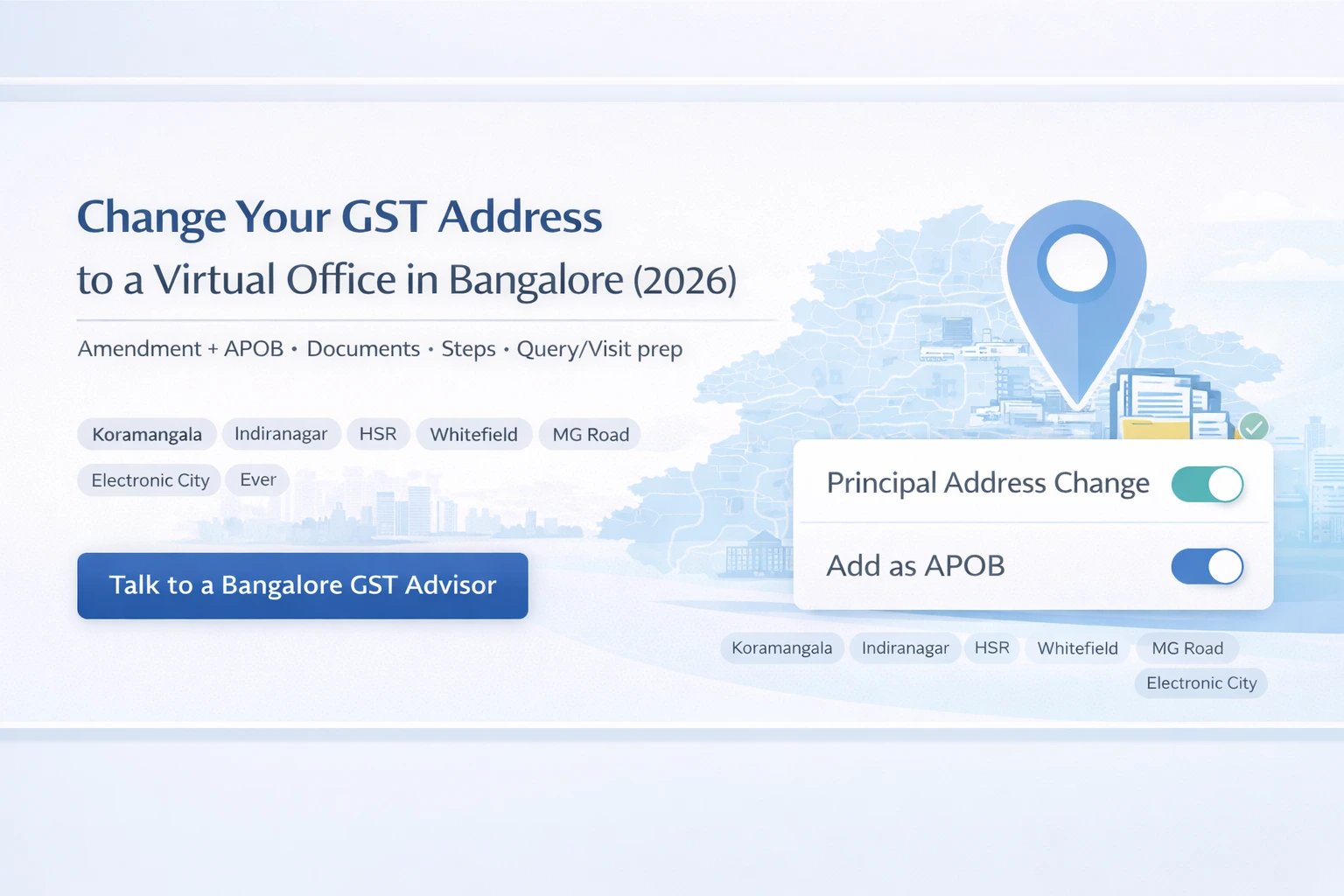
This guide is for you only if one thing is already true:
You already have a GST registration – and now you want to bring Bangalore into the picture.
Maybe your principal place of business is currently in another city, but more of your clients, hires, or investors are now in Bengaluru. Maybe your GST shows an old home or small office address in the city and you’d prefer a professional business centre address.
Either way, your real question is:
“How do I change my GST address to Bangalore or add a Bangalore location, using a virtual office – without taking on a huge office lease?”
That’s exactly what this guide explains.
We’ll cover:
-
When it makes sense to shift your principal place of business to Bangalore
-
When it’s better to keep your existing principal address and add Bangalore as an Additional Place of Business (APOB)
-
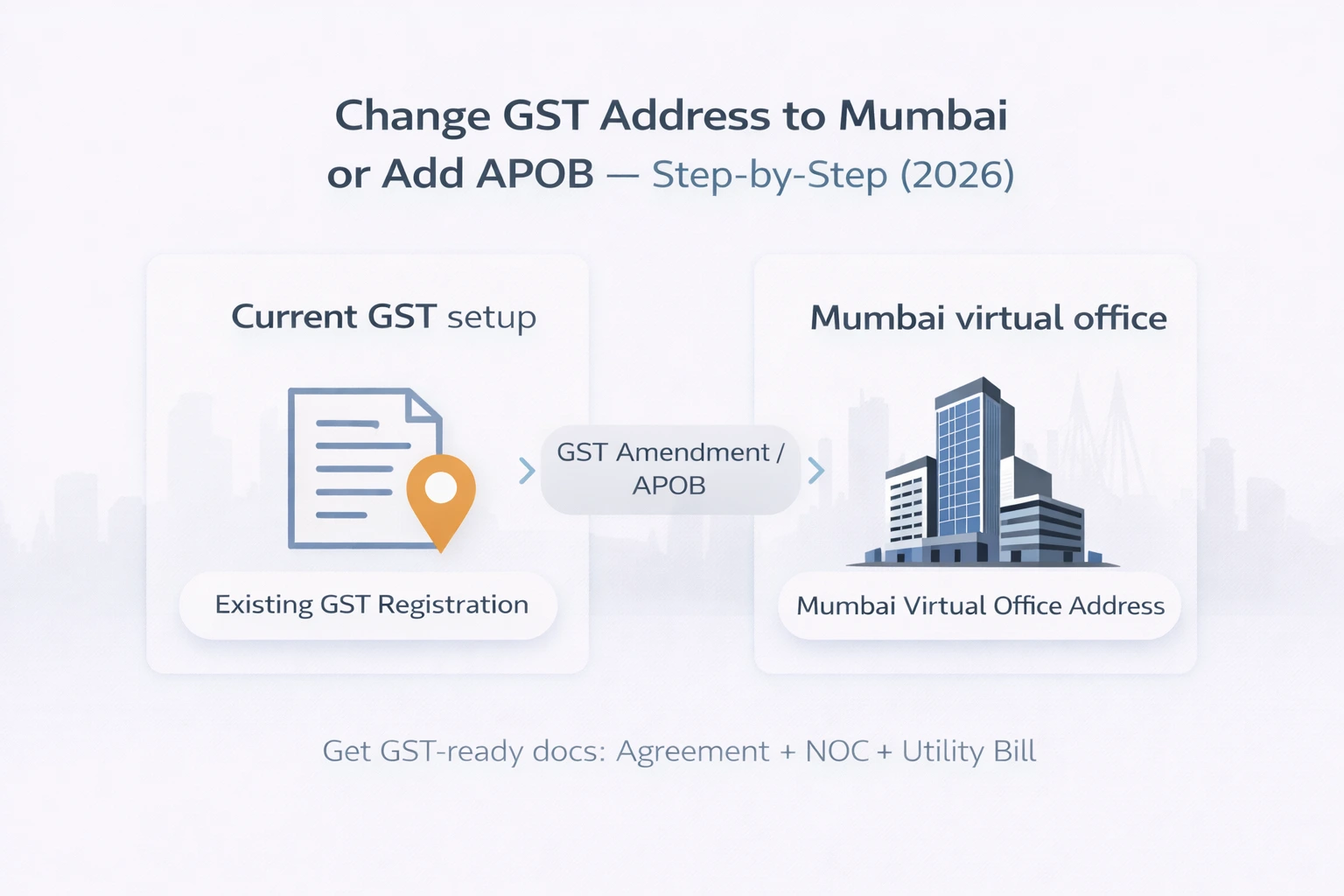
The documents you need from your business and your virtual office provider
-
Two separate step-by-step flows:
-
Principal place change → Bangalore virtual office
-
APOB addition → Bangalore virtual office
-
Common mistakes and how to avoid them
-
How a provider like Xporate fits into amendments and APOB for Bangalore
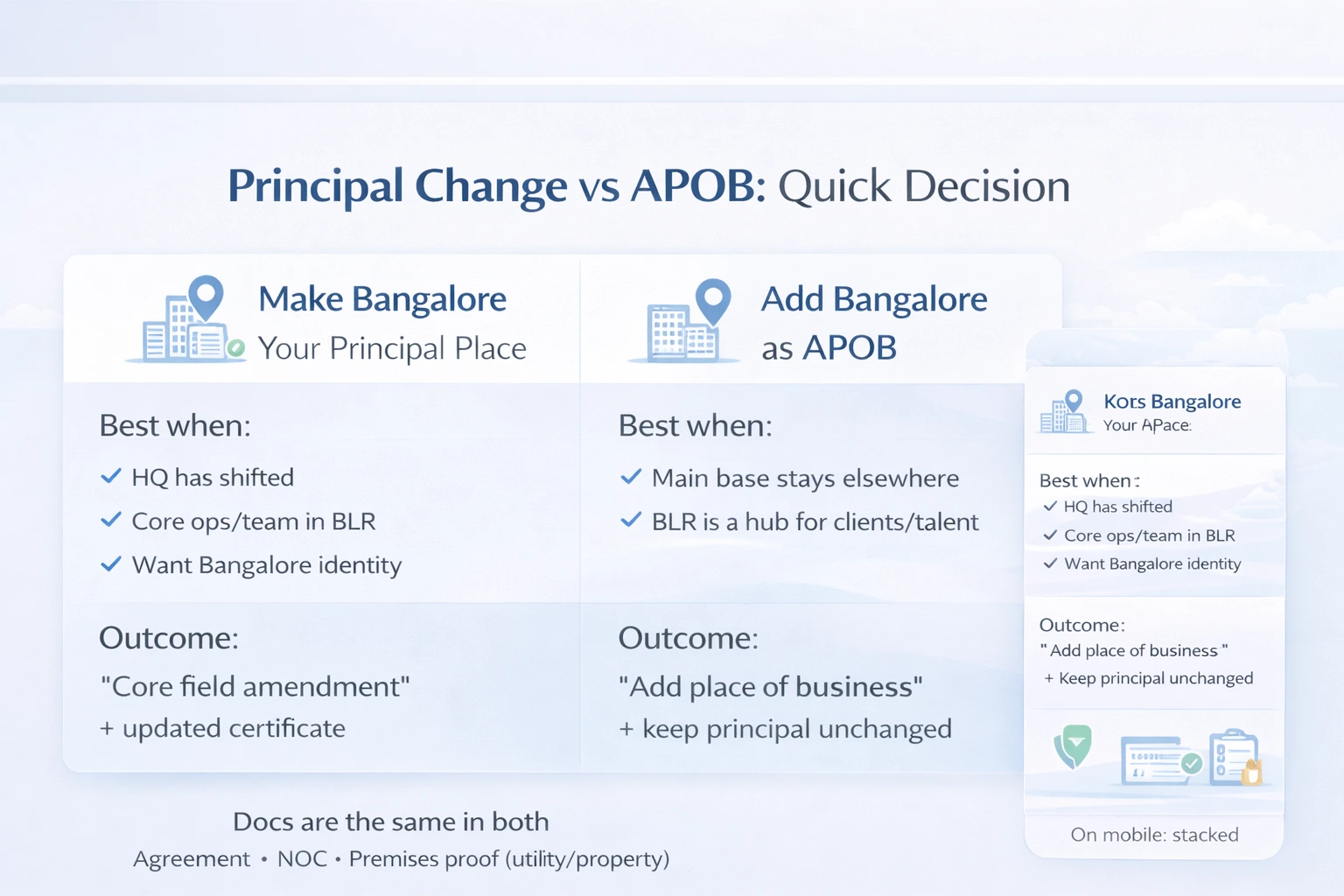
Address Change vs APOB – What’s Better for Your Bangalore Plan?
Before you touch the GST portal, align with your CA on one big decision:
Should Bangalore become your principal place of business, or just an Additional Place of Business (APOB)?
When to shift your principal place of business to Bangalore
Changing your principal place of business to Bangalore makes sense when:
-
Your real HQ has effectively moved to Bengaluru
-
Most of your core team, leadership and operations now centre around Bangalore
-
You want your main GST registration to reflect a Bangalore identity
-
It feels natural to tell clients and partners “we’re a Bangalore-based company”
In this case, your CA will file a core field amendment to move your principal place of business to a Bangalore address, which can be a virtual office in a business centre.
When to keep your existing principal place and add Bangalore as an APOB
Adding Bangalore as an Additional Place of Business (APOB) often makes more sense if:
-
Your main base is still your current city/state
-
Bangalore is a secondary hub: important market, client cluster, or talent pool
-
You want to serve Bangalore better without shifting your entire base right now
-
You need a registered place in Bangalore for e-commerce, service delivery, or local sales
In this scenario, your existing principal place stays as-is. Bangalore becomes another declared location under the same GSTIN.
How a Bangalore virtual office works for both options
The address and documents are broadly the same in both cases:
-
A genuine commercial address in Bangalore
-
A right-to-use agreement, NOC and premises proof
-
Clear handling of mail and notices
The difference is how your CA uses that address on the portal:
-
As your principal place of business in Karnataka
-
Or as an Additional Place of Business under an existing GST
If you’re unsure, treat this article as a map, but let your CA make the final call based on your business structure.
Documents You Need to Change or Add a Bangalore GST Address Using a Virtual Office
For amendments and APOB, you’ll again deal with two sides of documentation:
-
Your Bangalore virtual office provider
-
Your existing GST-registered business
From your Bangalore virtual office provider
Any virtual office in Bangalore that claims to be GST-ready should give you at least:
-
Service / Rent / Licence Agreement
-
Contract between your business and the provider
-
Clearly shows the full Bangalore address that will go into your GST records
-
No Objection Certificate (NOC)
-
From the owner/operating entity
-
States that they have no objection to your using the premises as a place of business
-
Recent premises proof
-
Typically an electricity bill, water bill or property tax receipt
-
The address must match the one in your agreement and NOC
Providers like Xporate build their Bangalore virtual office plans so this documentation pack is standard and suitable for GST registration, amendments and APOB – not just for a nameplate and mail.
From your existing GST-registered business
Since you’re amending an existing GST, you’ll also need:
-
Current GSTIN and portal access
-
PAN of the entity / proprietor
-
Incorporation documents (Certificate, MoA/AoA or LLP Agreement) where applicable
-
PAN, Aadhaar and photographs of directors/partners and authorised signatory
-
Board resolution or authorisation letter (for companies/LLPs)
-
Bank proof (statement, cancelled cheque or passbook)
-
Any other KYC your CA needs to respond to officer queries
Your CA may not re-upload everything, but they must have these available.
Quick comparison: principal place change vs APOB
You can turn this into two cards or a small table in your CMS.
Changing principal place to Bangalore virtual office
You’ll typically use:
-
✔ Bangalore virtual office agreement
-
✔ NOC for the Bangalore premises
-
✔ Recent premises proof (utility bill / property proof)
-
✔ Existing GST details and entity documents
-
✔ KYC and authorisation docs for authorised signatory
Adding Bangalore as an APOB with a virtual office
You’ll typically use:
-
✔ Bangalore virtual office agreement
-
✔ NOC for the Bangalore premises
-
✔ Recent premises proof (utility bill / property proof)
-
✔ Existing GST registration details
-
✔ KYC docs as required for verification
The documentation from your provider is the same. The flow and forms your CA uses are different.
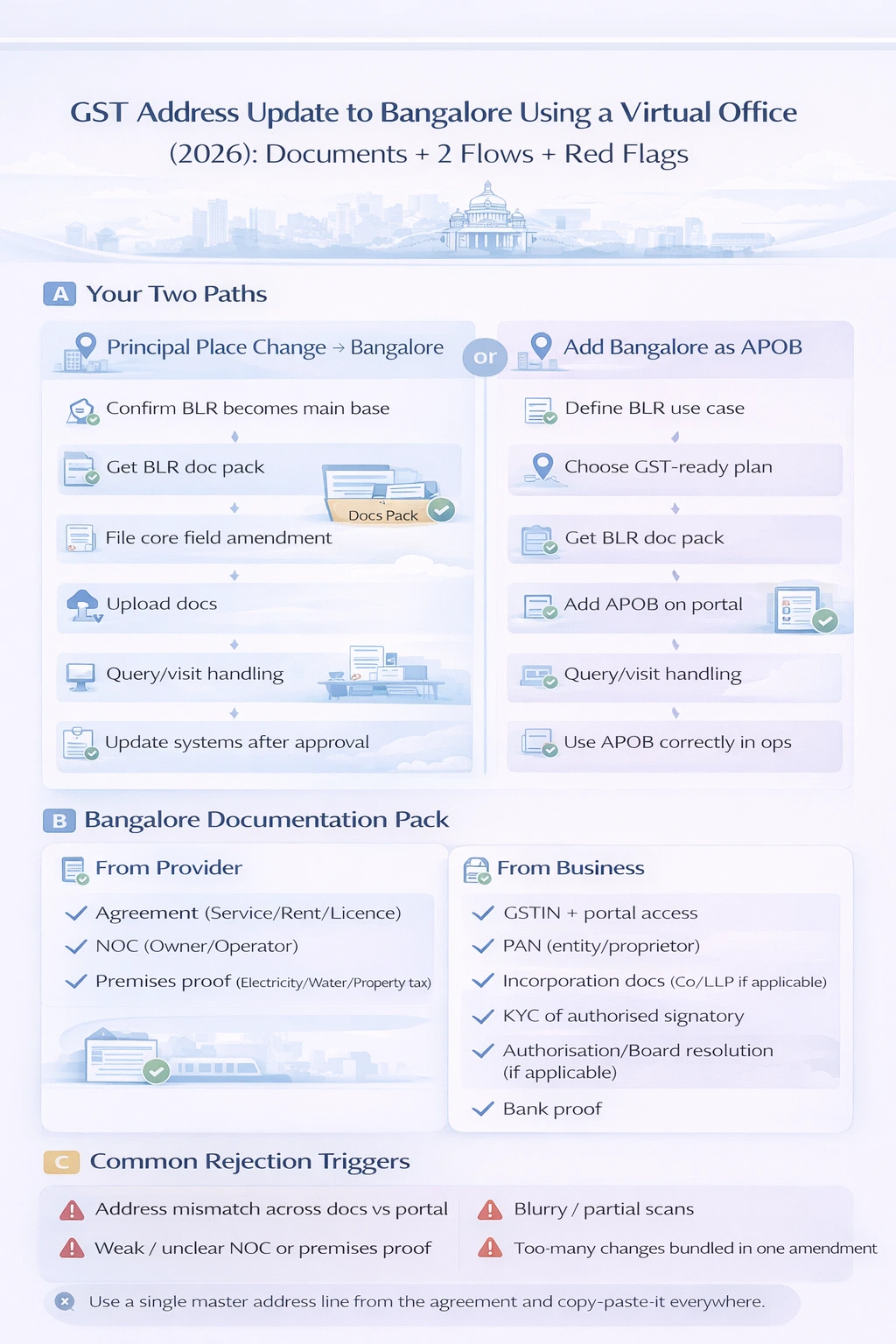
Step-by-Step: Changing Your Principal GST Address to a Virtual Office in Bangalore
Let’s start with the heavier change: moving your principal place of business to Bangalore.
Step 1 – Confirm with your CA that Bangalore will be your principal place
Your principal place of business is not just a postal address:
-
It’s where you’re considered to be primarily based for GST
-
It influences how you present your company to clients, banks, and platforms
-
Future changes often build on this choice
If your leadership, operations and future plans are firmly Bangalore-centric, a principal place shift can make sense. Let your CA sanity-check what this implies for your current state registrations and compliance.
Step 2 – Set up your Bangalore virtual office and get the documentation pack
Before filing any amendment:
-
Choose a Bangalore locality and business centre that fits your brand and budget
-
For example: a tech/startup area vs a more corporate corridor
Select a virtual office plan that clearly supports GST (and ROC if needed)
Complete KYC and onboarding with the provider
Receive your Bangalore documentation pack:
-
Agreement
-
NOC
-
Premises proof
With Xporate, this is a structured process: the documentation is prepared with GST registration and amendments in mind, not as an afterthought.
Step 3 – File a core field amendment on the GST portal
Next, your CA will:
-
Log in with your existing GSTIN
-
Initiate a core field amendment to change the principal place of business
-
Enter the Bangalore virtual office address as the new principal place
Important detail:
-
They should copy-paste the address directly from your agreement or a master address line to avoid spelling changes and missing elements.
Step 4 – Upload Bangalore virtual office documents & supporting docs
In the amendment form, your CA will:
-
Upload the Bangalore agreement as proof of right to use the premises
-
Upload the NOC from the premises owner/operator
-
Upload the utility bill or premises proof
-
Attach any other entity or KYC documents required for the amendment
At this point, your case is essentially:
“We’re moving our principal place of business to this Bangalore address. Here is proof of our right to use it.”
Step 5 – Handle any queries or officer visits at the Bangalore centre
After submission, one of three things usually happens:
-
The amendment is approved smoothly
-
The officer raises a query (common ones: “clarify address,” “re-upload readable document,” “explain premises”)
-
The officer schedules a site visit to the Bangalore premises
If there’s a query:
-
Work with your CA to understand exactly what is being asked.
-
Ask your provider if any document needs to be reissued or rescanned.
-
If needed, add a short written clarification about the business centre / virtual office setup.
If there’s a site visit:
-
Coordinate with your provider so the front desk knows your company name and that you’re a virtual office client.
-
Follow any instructions about name listing, directories or signage.
-
Keep soft copies of your agreement and NOC handy in case further explanation is needed.
Experienced providers like Xporate are used to this process and can guide you on how officer visits are handled at their Bangalore centres.
Step 6 – After approval: update your systems with the new Bangalore address
Once your principal place change is approved:
-
Download the updated GST registration certificate
-
Confirm that:
-
The principal place of business shows the correct Bangalore address
-
Other details (entity name, PAN, etc.) are accurate
Then:
-
Update your invoicing, ERP and accounting systems
-
Update banks, platforms, and key partners if they store your GST address
-
Ensure your team understands that Bangalore is now the principal place for GST purposes
Step-by-Step: Adding Bangalore as an Additional Place of Business (APOB) with a Virtual Office
If you want to keep your existing principal address and add Bangalore as a new location, the flow is a bit lighter.
Step 1 – Clarify your Bangalore use case for APOB
Write down the “story” you’d be comfortable explaining to an officer:
-
Are you serving Bangalore clients more regularly now?
-
Using Bangalore for sales, service delivery or local operations?
-
Need a Karnataka location for e-commerce, warehousing partners, or local compliance?
The clearer your use case, the easier it is to justify the APOB if queries arise.
Step 2 – Choose a Bangalore centre and GST-ready virtual office plan
Pick a Bangalore virtual office that matches:
-
Your brand positioning (startup, corporate, consulting, etc.)
-
Your budget and plan type (address-only vs GST/ROC-ready vs combo)
Ensure the plan explicitly covers GST use, not just “mail and nameplate.”
Step 3 – Get your Bangalore documentation pack
Same trio as before:
-
Agreement for the Bangalore premises
-
NOC from the owner/operator
-
Recent utility bill or premises proof
Share the pack with your CA so they can confirm it’s suitable for APOB addition.
Step 4 – Add Bangalore as APOB on the GST portal
On the GST portal, your CA will:
-
Log in with your existing GSTIN
-
Navigate to the Additional Place(s) of Business section
-
Add the Bangalore virtual office address as a new place of business
-
Upload the documentation pack where the portal expects proof of place of business
Again, address consistency matters: the portal entry should mirror your documentation.
Step 5 – Manage queries or inspections at the Bangalore address
Even as an APOB, officers may:
-
Raise simple queries for additional clarity
-
Decide to visit the Bangalore centre
If that happens:
-
Ensure your provider’s front desk team recognises your company name
-
Follow any internal process they have for GST officer verification
-
Reply to portal queries promptly with the help of your CA
For legitimate business-centre setups, this step is usually procedural rather than dramatic.
Step 6 – Use Bangalore APOB properly in your operations
After approval:
-
Use the Bangalore APOB in your invoicing and operational flows where appropriate
-
Coordinate with your CA on how to reflect Bangalore vs other locations in returns and reporting
-
Make sure teams know when to use the Bangalore address and GST details vs your existing principal place
If you later expand into more cities, each new location follows a similar APOB pattern.
Common Problems When Changing GST Address to a Bangalore Virtual Office
Here are some traps that show up frequently, and how to avoid them.
Mixing old and new addresses across documents and systems
A classic source of confusion:
-
The old address appears on some invoices and systems
-
The new Bangalore address appears on others
-
Documents submitted to GST show different combinations
How to avoid it:
-
Maintain a simple internal document that clearly shows:
-
Old address → used up to [date]
-
New Bangalore address → used from [date]
-
Once the amendment is approved, phase out the old address from active documents and templates.
-
Align your CA, finance team and provider on the timeline.
Officer doubts about shared or virtual premises in Bangalore
Officers are often more cautious with:
-
Addresses that host many businesses
-
Business centres and coworking spaces
How to avoid it:
-
Choose a provider with a clear business-centre model and predictable documentation.
-
Ensure front-desk staff are trained to explain that you’re a virtual office client.
-
Keep your business activities in your GST application realistic and consistent with using a business centre as your place of business.
Bundling too many changes into one amendment
Trying to change:
-
Address
-
Legal name
-
Directors
-
Business activities
…all in the same filing can make things messy.
How to avoid it:
-
Let your CA plan the sequence of changes.
-
Often, it’s cleaner to:
-
Do an amendment focused on address/APOB first, or
-
Split unrelated changes into separate filings
Clarity and simplicity reduce the chances of confusion or rejection.
How Xporate Helps with GST Address Changes & APOB in Bangalore
You could theoretically try to retrofit any Bangalore address into your GST records, but working with a provider that’s set up for compliance from day one simplifies everything.
With Xporate:
-
Bangalore virtual office plans are designed to be GST- and ROC-friendly
-
You get a clear agreement, NOC and premises proof
-
Documentation is in a format that CAs, CSs and officers are used to dealing with
-
Centres and teams are familiar with virtual office clients and department visits
-
Defined processes for handling mail, notices and courier
-
Guidance on what to expect if an officer visits the centre
-
You can grow with the same provider
-
Start with a virtual office for address changes/APOB
-
Upgrade to coworking desks, private cabins or managed offices as your Bangalore presence deepens
The goal is that shifting or expanding your GST presence to Bangalore feels like a planned, low-drama project, not a stressful one-off gamble.
FAQs – Changing GST to a Virtual Office Address in Bangalore
1. Can I change my GST principal place of business to a virtual office in Bangalore?
Yes. You can change your GST principal place of business to a virtual office address in Bangalore as long as it is a genuine commercial premises and you have a proper documentation pack (agreement, NOC and premises proof). Your CA will file a core field amendment on the GST portal to move your principal place to the new Bangalore address.
2. Is a virtual office address in Bangalore acceptable for an Additional Place of Business (APOB)?
Yes. A Bangalore virtual office address can be added as an Additional Place of Business under your existing GST registration. The key is that your provider issues proper right-of-use documents and premises proof, and your CA correctly files the APOB addition.
3. How long does it take to change my GST address to Bangalore?
Once your Bangalore virtual office documents are ready and your CA has filed the amendment or APOB addition, timelines depend on:
-
Officer workload
-
Whether queries are raised
-
Whether a site visit is scheduled
With clean documentation and prompt responses, the process often completes within a few weeks, but the exact timeline is controlled by the department.
4. What if my GST address change to a Bangalore virtual office is rejected?
Most rejections are due to practical issues, such as:
-
Address mismatches
-
Unclear scans or missing documents
-
Inadequate explanations
Carefully review the rejection note with your CA and your virtual office provider, fix the specific issues called out, and reapply with clearer, better-organised documentation and a short written clarification if needed.
5. Do I need to update banks and other registrations after changing my GST address to Bangalore?
In many cases, yes. When your GST address changes to Bangalore, you should review and, where necessary, update your address with:
-
Banks and financial institutions
-
Key vendors and platforms
-
Other statutory registrations that store your place of business
Your CA or CS can help you prioritise which updates are essential and in what order.
6. Can multiple GST registrations use the same Bangalore virtual office address?
Yes. It is common for multiple businesses to use the same address within a business centre, provided each has its own agreement and documentation. Authorities focus on whether each individual arrangement is legitimate and well documented, not on address exclusivity.
7. What happens if I cancel my Bangalore virtual office but don’t update my GST address?
If you cancel your Bangalore virtual office but leave that address on your GST records, your filings no longer match reality. That creates risk if officers visit, send notices, or request evidence of your premises. Whenever you end a premises arrangement, you should work with your CA to update your GST registration accordingly.
8. Can I move my principal place of business from Bangalore to another city later?
Yes. You can later file another core field amendment to move your principal place of business from Bangalore to a new address in another city or state. As with any major change, plan the timing and documentation carefully with your CA so the transition is orderly and compliant.
9. When is it better to add Bangalore as an APOB instead of changing the principal place?
As a rough rule:
-
If your main operations and team have genuinely shifted to Bangalore, a principal place change may make sense.
-
If you’re testing Bangalore, serving it as one of several markets, or treating it as a satellite hub, adding it as an APOB is usually cleaner.
Your CA can help you decide based on your broader GST and business footprint.